MCP
Give connection setup instructions to an agent that supports remote MCP, then use the knowledge tools within the granted scope.

KNOWLEDGE FOR YOUR TEAM & AGENTS
Turn policies, project material and research reports into shared knowledge. Members search, ask and verify sources within their permissions; applications and agents use authorized connections.
One site, multiple knowledge bases and Drive spaces
Authorize membership, content and connections separately
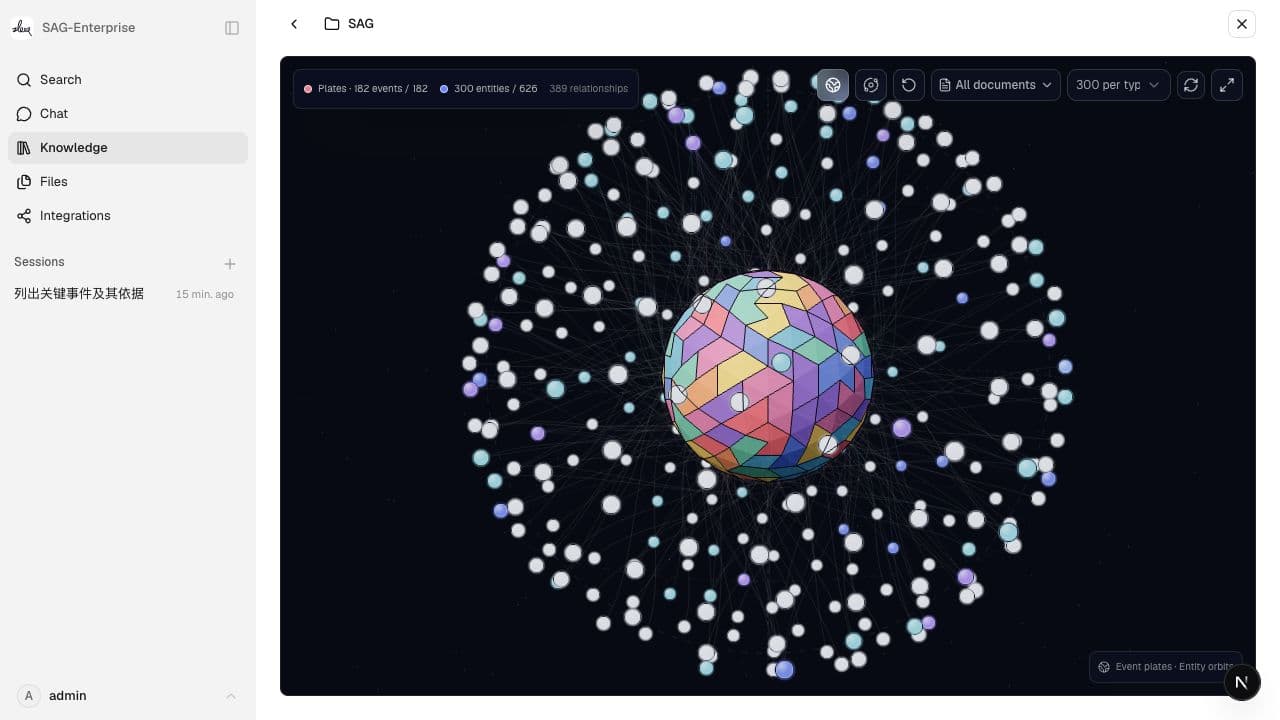
Trace retrieval results and answer citations to original text
01 / CAPABILITIES
Manage knowledge, members, files and model resources together. Select a capability to inspect the actual interface and how it works.
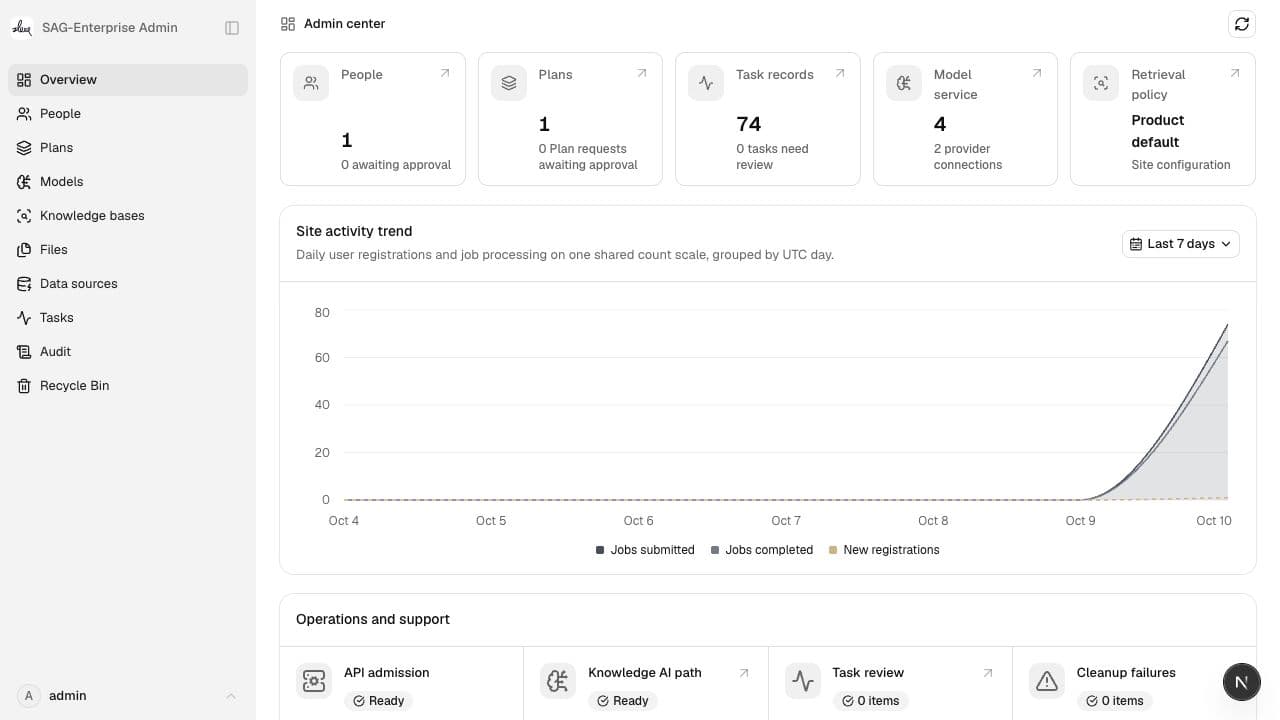
Manage members, knowledge-base permissions and shared models. Retrieval, graph reads and source access follow current authorization.
Administration and content access are checked separately. Administrators do not automatically gain access to private knowledge bases.02 / KNOWLEDGE WORKFLOW
Organize enterprise documents, retrieve them within current permissions, then use the evidence in cited answers and authorized application integrations.
What checks are required before launch?
Upload files, import from Drive or sync authorized online documents into the selected knowledge base.
Administrators configure Feishu or DingTalk applications; members authorize accounts and select accessible sources. Scheduled plans fetch content and update knowledge documents.
03 / APPLICATIONS & AGENTS
Create an Open Connection, select knowledge bases or Drive folders and choose callable capabilities. Requests follow both the connection's settings and its owner's current permissions.
Give connection setup instructions to an agent that supports remote MCP, then use the knowledge tools within the granted scope.
Use the connection's API reference and key to call authorized knowledge and Drive capabilities from an application.
Use the provided model name, base URL and key with clients compatible with OpenAI Chat Completions.
Call platform operations from a browser application through a signed-in session and integrate knowledge into your own interface.
Connections can be paused, keys rotated and access revoked. Use each connection's generated reference for available tools and request formats.
04 / ACCESS & DEPLOYMENT
Knowledge bases and Drive spaces manage access separately. Administrators govern the site and shared resources; private content still requires authorization.
Resource discovery and content read access are separateAdministrators configure models, parsers, knowledge application bindings and the agent model pool. Processing, retrieval and generated answers need available models.
External parser and model calls send relevant content according to configurationSelf-host using the production deployment plan. Each deployment provides one site with multiple knowledge bases and Drive spaces.
The current production guide describes a single-machine deployment05 / POWERED BY SAG
SAG records complete events and extracts entities from the original passages. At query time, shared entities connect related events; ranking and deduplication return the supporting source chunks.
Recall@5
percentage points
These are published results for the SAG method. Enterprise retrieval quality depends on documents, models, parsing quality and deployment configuration.Read the experimental setup
06 / COMMERCIAL LICENSING & SUPPORT
Discuss commercial licensing, deployment and development support for your document sources, access requirements and environment.