
SAG Wiki updates: Chat and note imports, remote access, and encrypted sharing
SAG Wiki now imports chats and notes, provides remote access through the web, MCP, and HTTP APIs, and supports encrypted sharing of Markdown files and folders.
Open-source repository: https://github.com/Zleap-AI/SAG-Wiki
SAG Wiki has received a lot of attention since we open-sourced it. Thank you for all the suggestions you've shared with us.
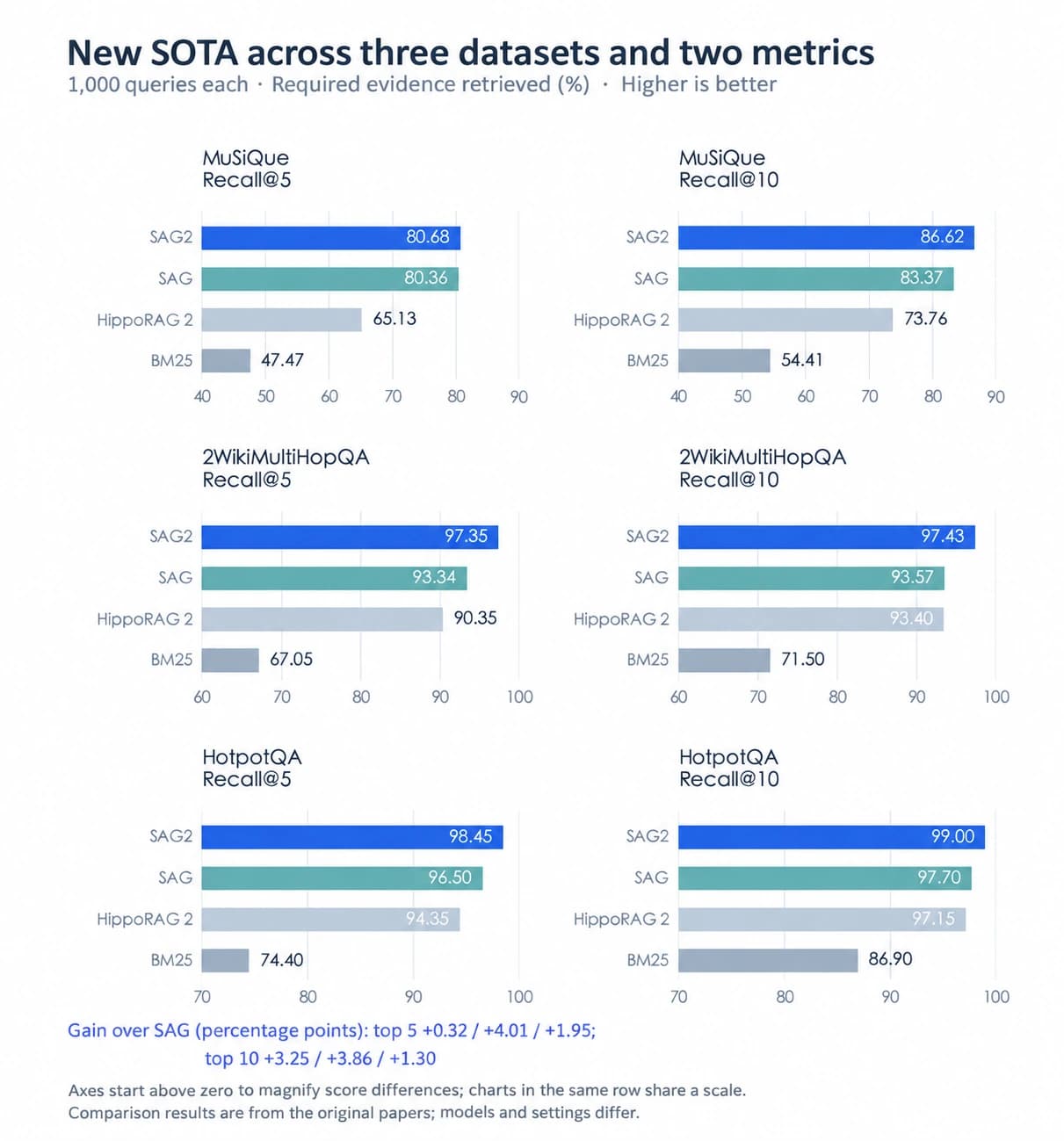
SAG Wiki is a personal knowledge base app we recently open-sourced, built on our own SAG2 technology. It can build a knowledge base quickly even with large collections of documents. In our tests, text indexing took around 200 ms per million characters. Building an index and retrieving information require neither a vector database nor calls to a large language model. When a question draws on several files, SAG2 finds the relevant passages step by step and provides source text for reasoning across documents. In the SAG2 paper, SAG2 achieved state-of-the-art retrieval results on all three public multi-hop datasets.
SAG Wiki turns the files you already have into a knowledge base that both you and your agents can use.
Over the past few releases, we addressed three questions:
- How can you turn your personal context into searchable knowledge?
- How can a small team use the same knowledge base?
- How can you share useful knowledge quickly?
Import chats and notes
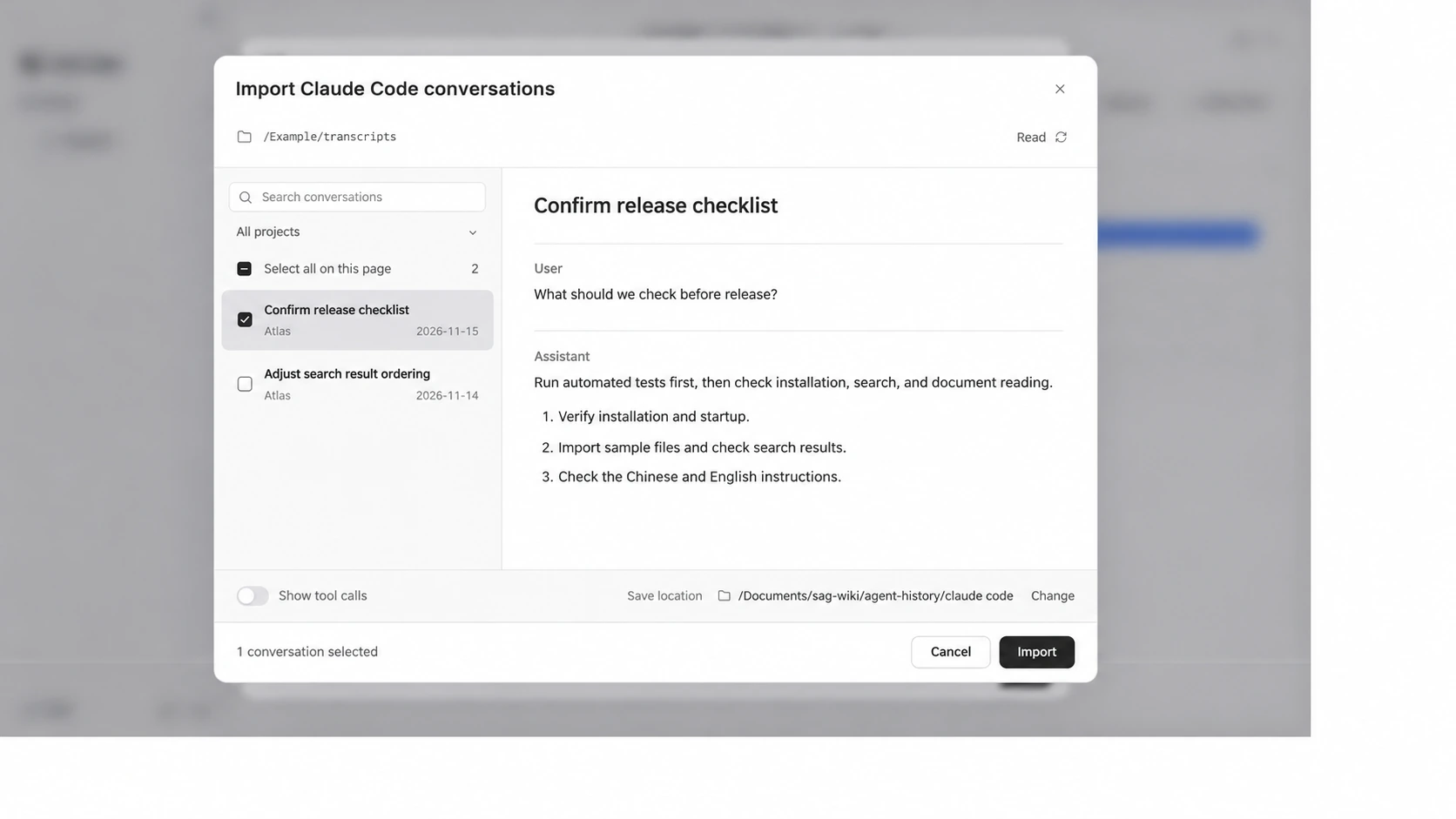
SAG Wiki now imports local conversations from Codex and Claude Code.
Select the conversations you want to keep. SAG Wiki converts them to Markdown and adds them to your knowledge base. Later, you or any agent connected to SAG Wiki can look up past project context, decisions, and personal preferences.
You can also quickly import notes from Notion, Evernote, Google Keep, and Apple Notes on macOS. Your personal context becomes searchable knowledge.
Remote access via the web, MCP, and HTTP APIs
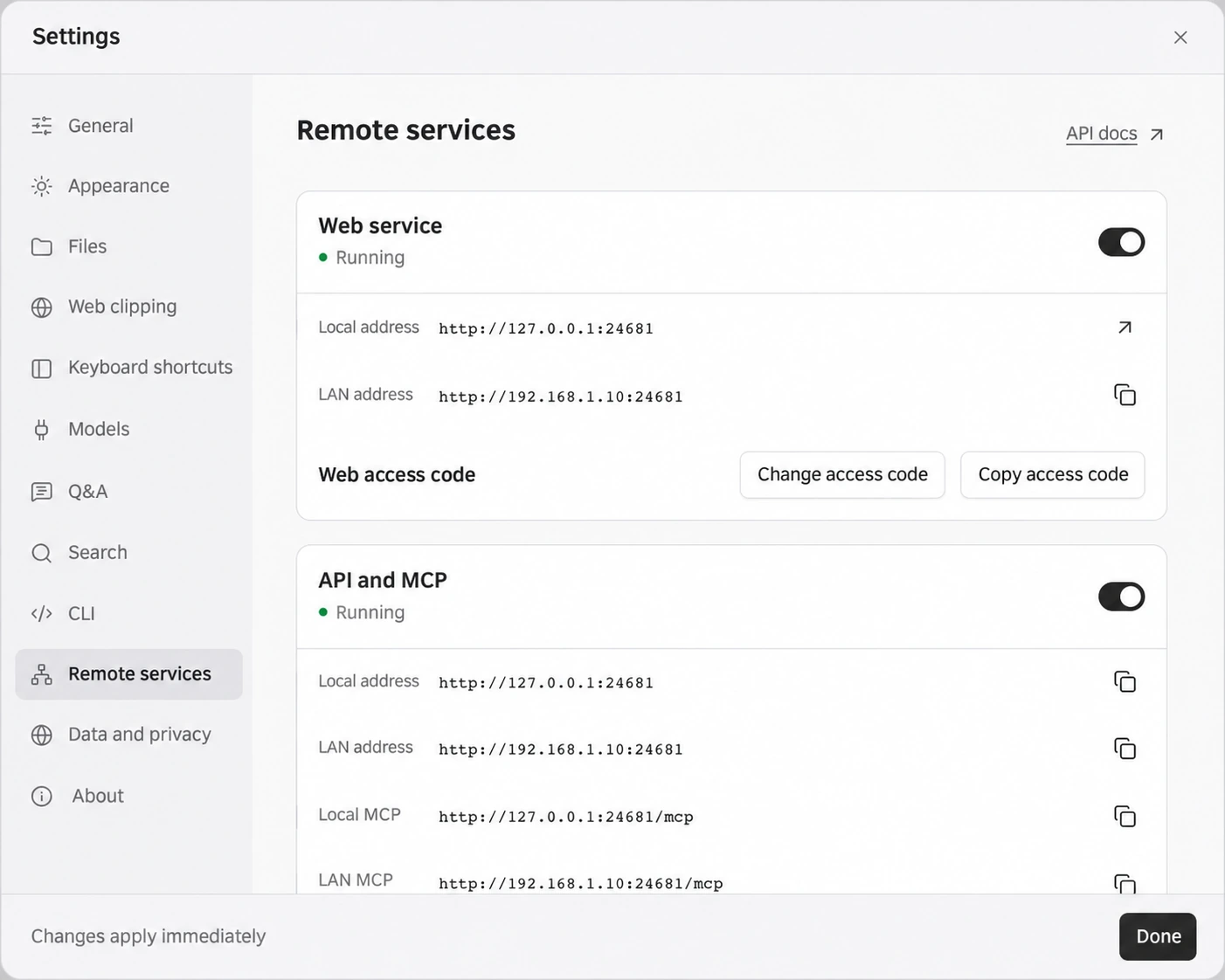
SAG Wiki now lets you access the same knowledge base through a browser, MCP, and HTTP APIs.
A small team can run SAG Wiki on one computer and enable the service under Settings → Remote Services. Teammates on the same local network can open the address in a browser and enter an access code to look up information, ask questions, and edit Markdown.
Agents on the local network can also access the same material through MCP, so people and agents can work from one knowledge base.
Quick encrypted sharing
When people share project context, they often send Markdown files back and forth in Feishu or DingTalk. If a document contains images, the sender has to package those as well. The recipient then has to download the files and pass them to their agent manually.
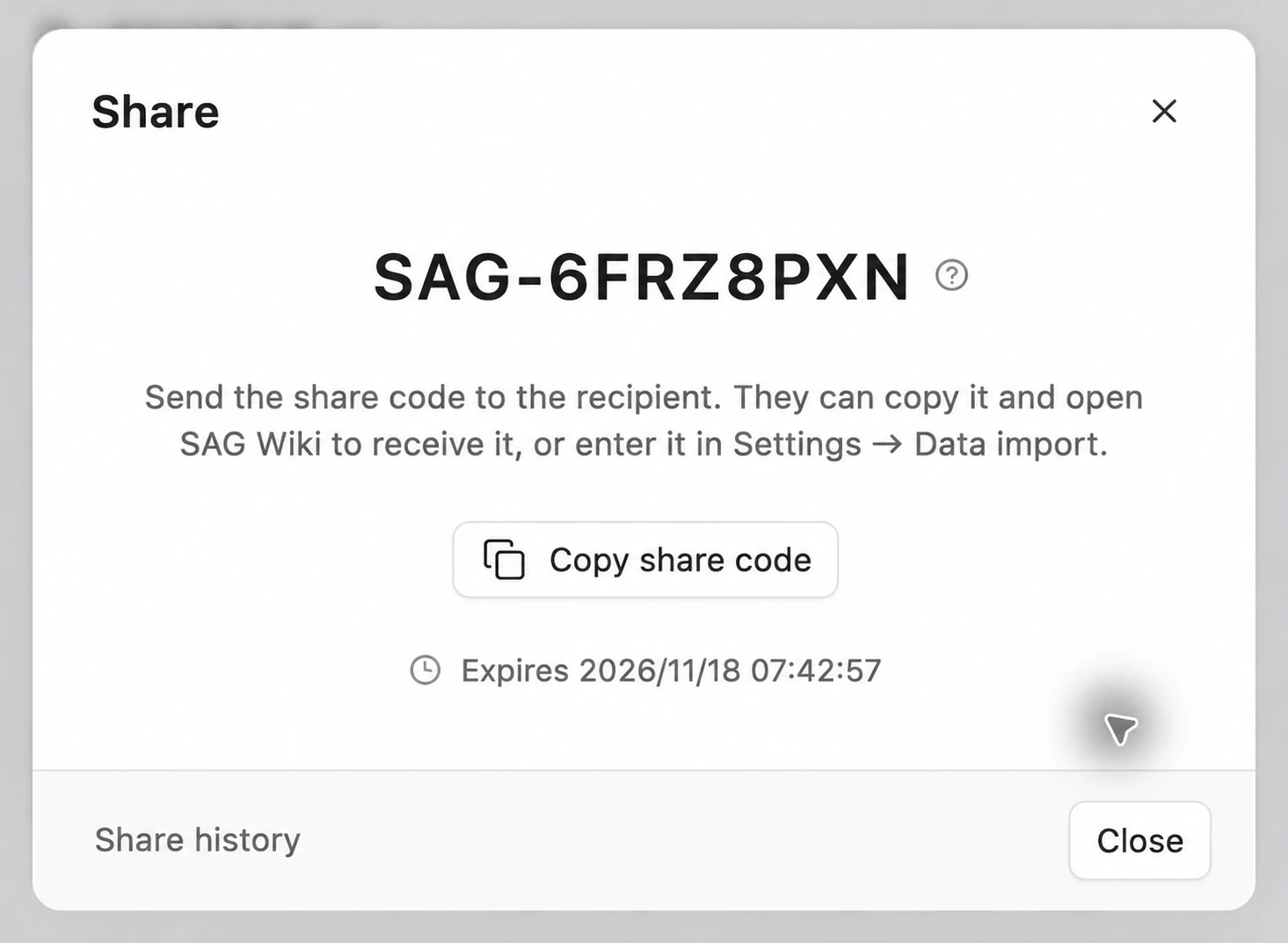
SAG Wiki now supports quick encrypted sharing. Right-click a Markdown file or folder in SAG Wiki to share it. Referenced local images are packaged automatically. Send just the share code in Feishu or DingTalk. The recipient can use the code in SAG Wiki to download the material, which automatically joins their knowledge base and is available for agents to search.
Files are encrypted before upload. Our server stores the encrypted package for an hour and deletes it automatically when it expires. SAG Wiki decrypts the files after download. Neither person needs an account or a connection to the same local network, and there's no URL to pass around. The implementation is available in the open-source code.
Keep reading

Media coverage
A Second Year of Building AI for Business Leaders
Crossing revisits Jomy to discuss Zleap’s evolution from a CEO management appliance to a Token Router and Zleap OS, unified enterprise AI, and continuously running agents.
Product
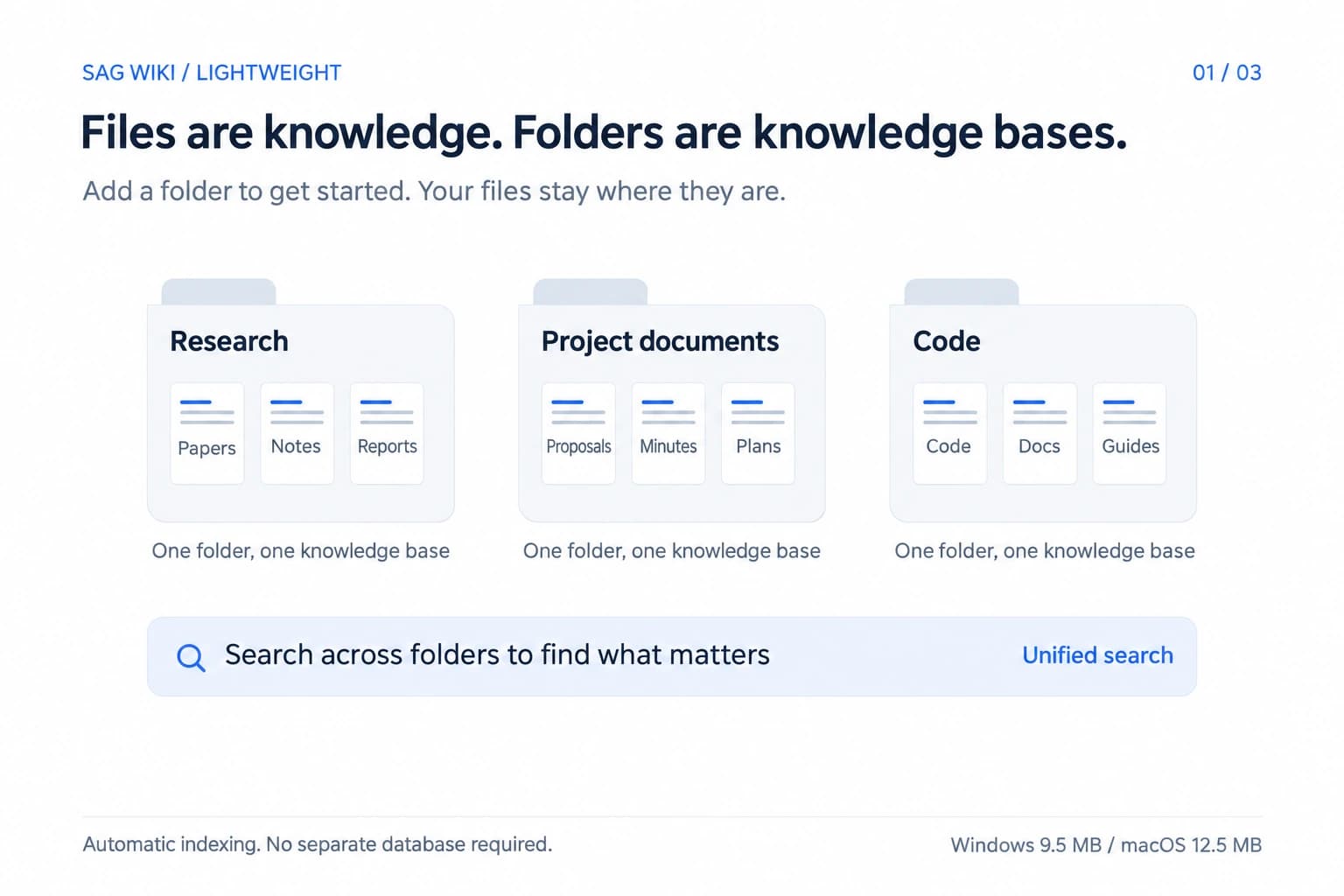
SAG Wiki: A Lightweight, Low-Cost, Precise Local Knowledge Base
Introducing SAG Wiki, the open-source knowledge base powered by SAG2, with folder-based organization, fast indexing and retrieval, and desktop and CLI access for people and agents.
Technology
Introducing SAG2: A New State of the Art, 7,000× Faster Indexing, No Vectors, Just Files
SAG2 combines keyword indexing with dynamic multi-hop retrieval. Explore indexing performance, public benchmarks, SAG Wiki and applications in agent memory.